Your SEO blog, inside your AI
Connect RankmyBlog to ChatGPT, Claude or your editor. Ask how your blog is doing and get live charts, manage your calendar and publish posts without leaving the chat.
https://rankmy.blog/api/mcp


 Claude
How did my blog do in the last 30 days?
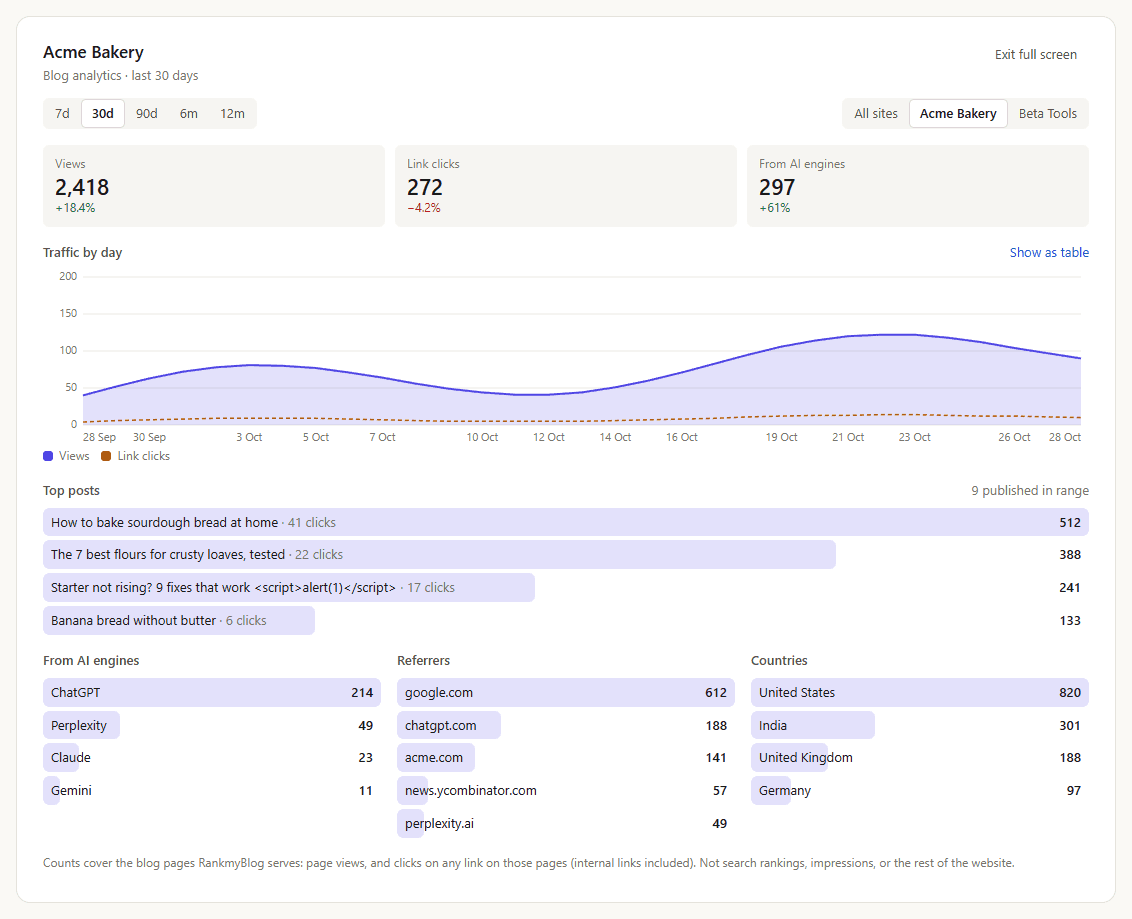
Just ask. It shows you.
Plain-language questions, real numbers back. In Claude and ChatGPT the answers come as interactive cards you can click, filter and act on.
Analytics with charts
Views, link clicks, AI-engine visits, top posts, referrers and countries, for any range up to 12 months.
“How did my blog do in the last 90 days?”
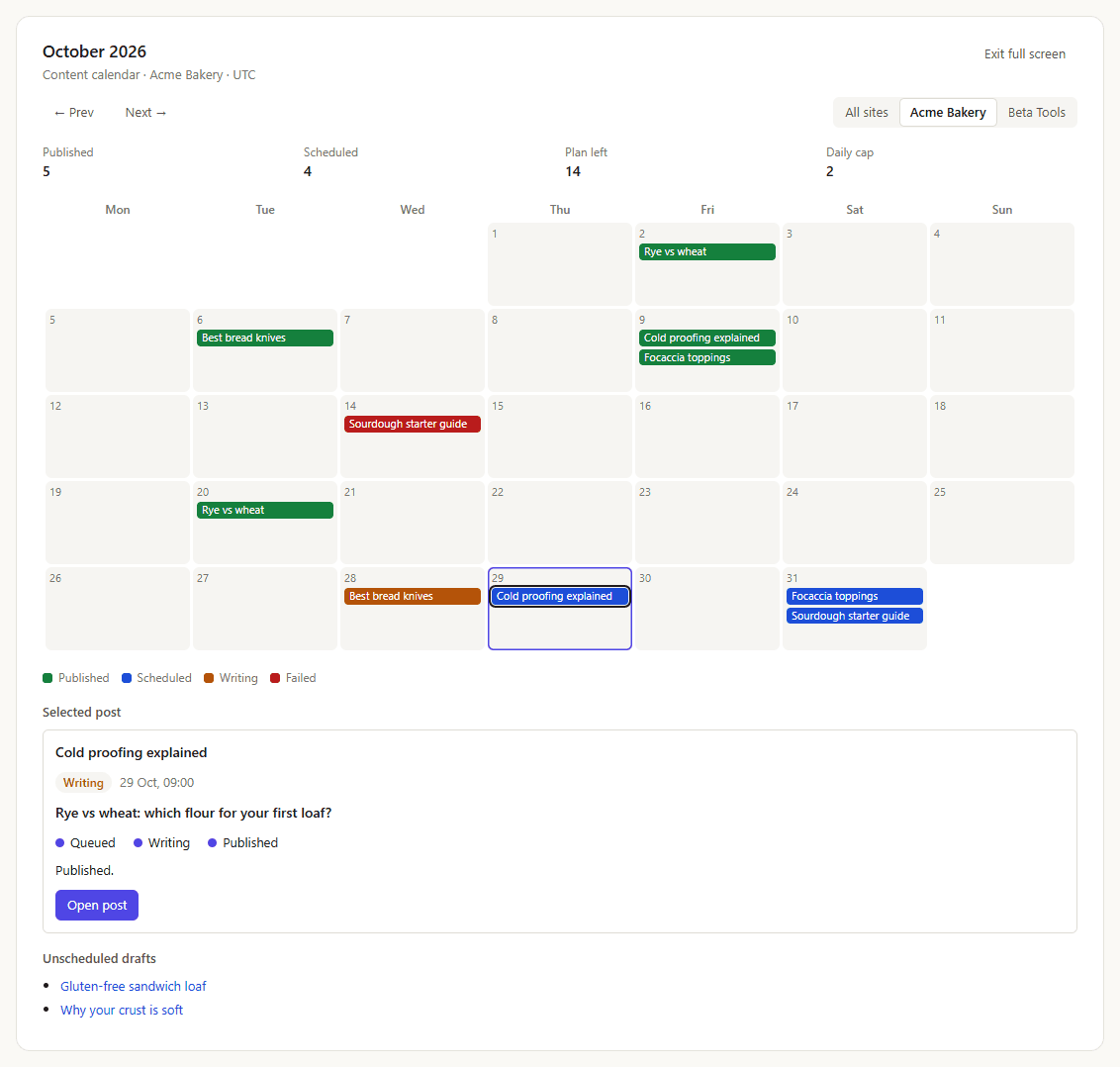
Your content calendar
See every scheduled, writing and published post by day. Reschedule or unschedule without opening the dashboard.
“Show my content calendar and move Friday's post to Monday.”
Publish from the chat
Ask for a post to go live and watch it go from queued to written to published, with a confirm step first.
“Publish my sourdough guide now.”
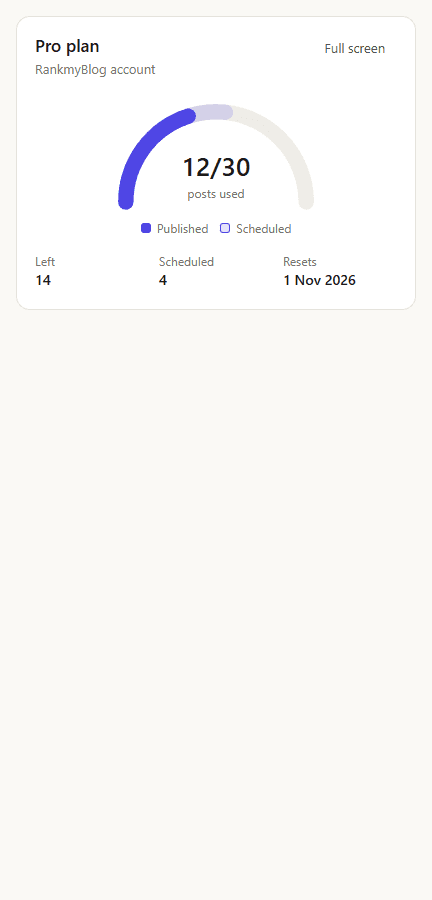
Plan and credits
Posts used, scheduled and left this month, your daily cap and credits per site.
“How many posts do I have left this month?”
Dashboards right in the conversation
Switch the range, flip to another site, reschedule a post or hit publish and watch it go live. Every action goes through your account's rules and asks before it changes anything.
- 12 tools, from analytics to publishing
- Light and dark mode, any screen size
- Full text answers in apps without cards
Connect in under two minutes
Pick your app. You sign in with your RankmyBlog account. No API keys, nothing to install.
- 1
Open Settings → Connectors in Claude on the web or the desktop app.
- 2
Click Add custom connector, name it RankmyBlog and paste the server URL.
Server URLhttps://rankmy.blog/api/mcp - 3
Click Connect, sign in to RankmyBlog and pick Read only or Read and make changes.
- 4
In a new chat, open + → Connectors, switch RankmyBlog on and ask away.
Only your data
Every request runs as you. The AI app can't see other accounts or anything outside RankmyBlog.
Read-only by default
You choose Read only or Read and make changes when you connect. Publishing always asks to confirm.
Revoke any time
See connected apps and their recent actions in Profile → Connected AI apps, and disconnect in one click.
Don't have a RankmyBlog account yet?
Start free, connect your site, then bring it into your AI app.